
Study one thing.
Finish what you start.
Set one objective and pick a session. FocusLock keeps you on your learning material, covers your other screens, and gently brings you back when you drift.
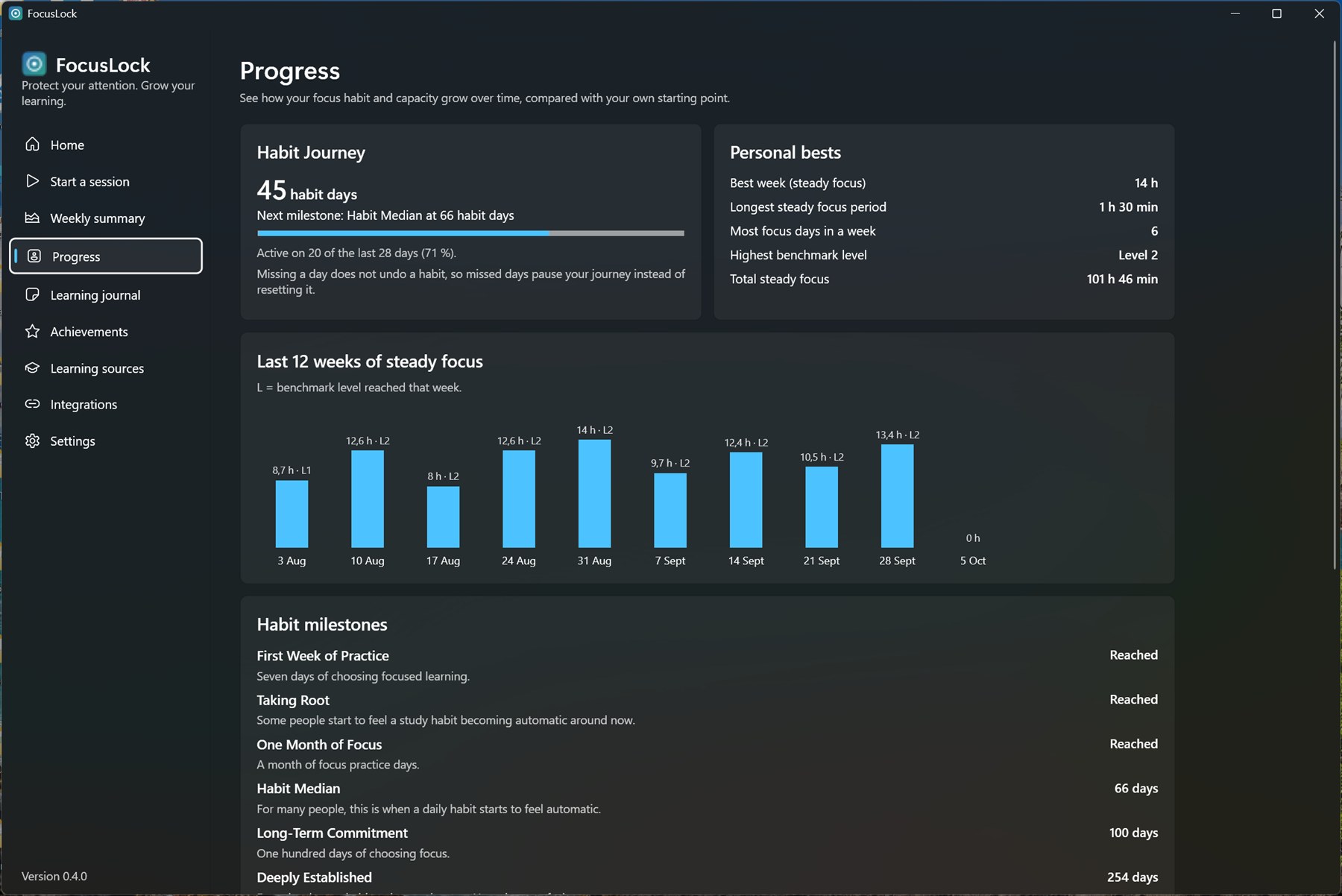
Real FocusLock screens with sample data.
Works with the platforms you learn on
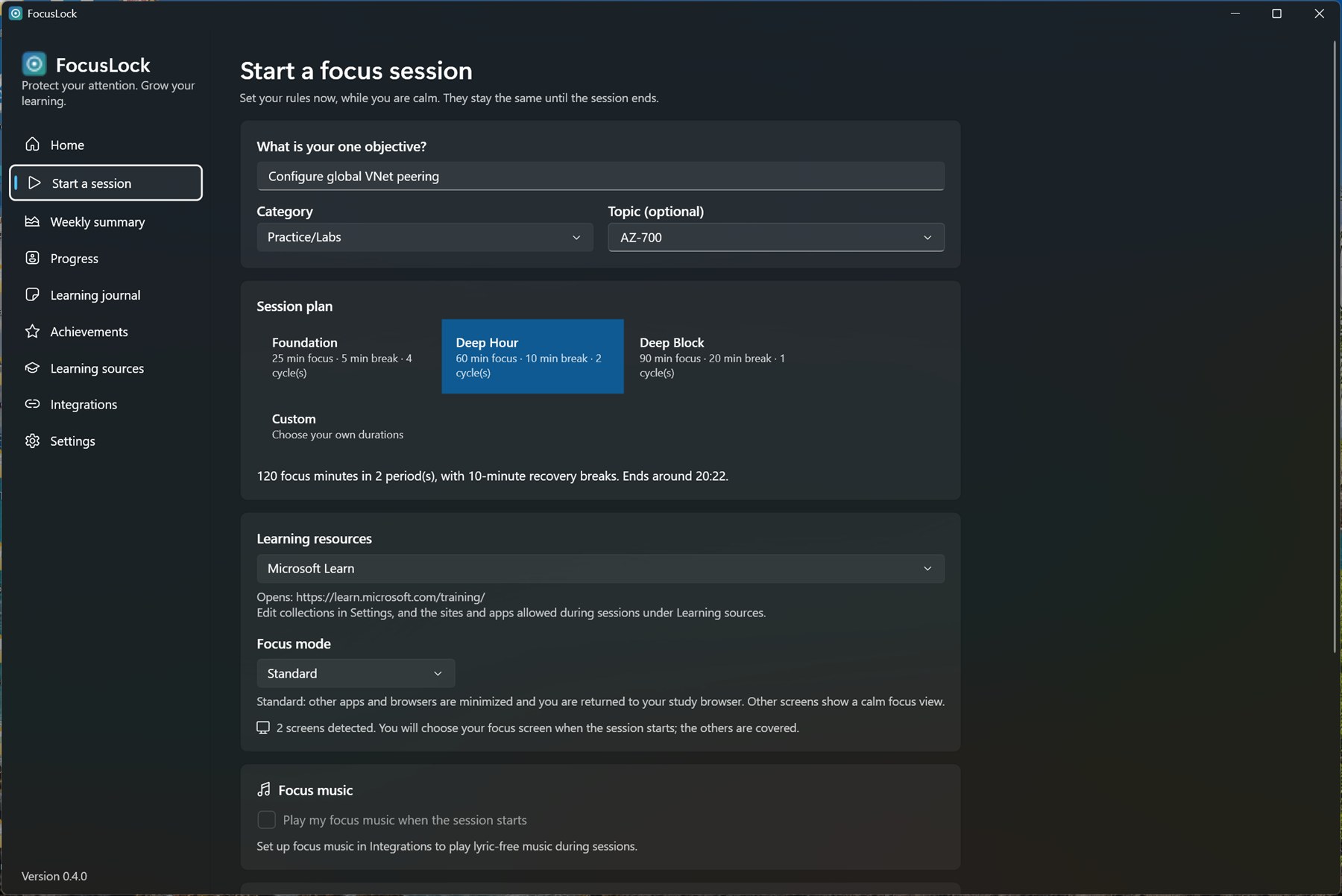
One objective. One plan.
Write what you'll learn, choose Foundation (25 min), Deep Hour (60), or Deep Block (90), and pick your material. The rules stay the same until the session ends.
- Pomodoro-style presets, or your own durations
- Opens your learning in your chosen study browser
- Choose the screen you study on; others are calmly covered
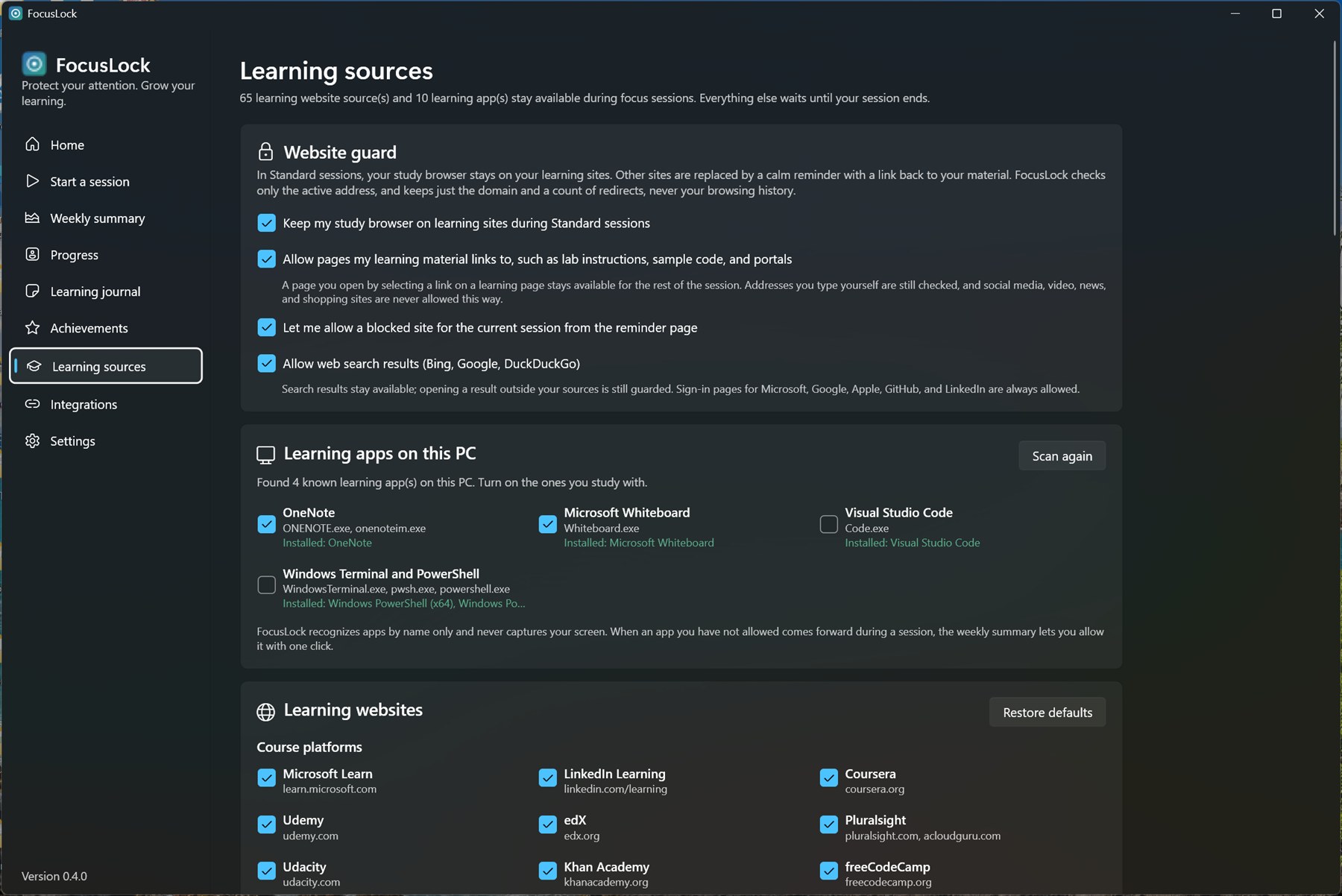
A guard that gets labs.
More than 90 learning sources are built in. Links you follow from your material stay open, including cloud portals for hands-on labs. Everything else waits.
- Microsoft Learn, AWS, Google Cloud, Coursera, Udemy, edX, and more
- A gentle tab limit keeps your material, your lab, and one reference
- Learning apps on your PC are recognized and can be allowed
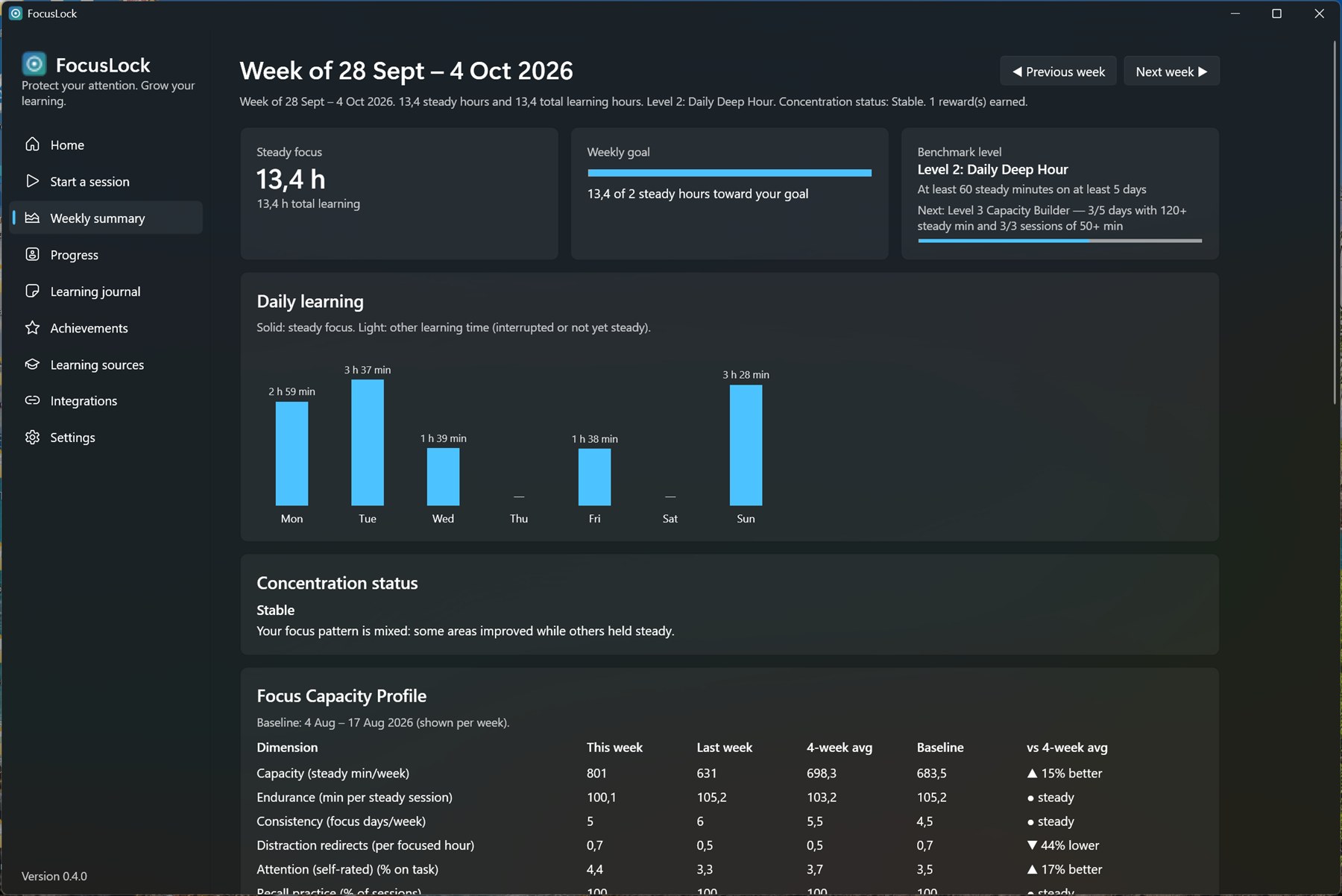
Progress you can feel.
Steady-focus hours, a daily chart, benchmark levels, and a Focus Capacity Profile that compares you with your own baseline, not with anyone else.
- Weekly summary and research-informed levels
- What pulled you away, and where your learning took you
- Encouraging rewards for steady effort
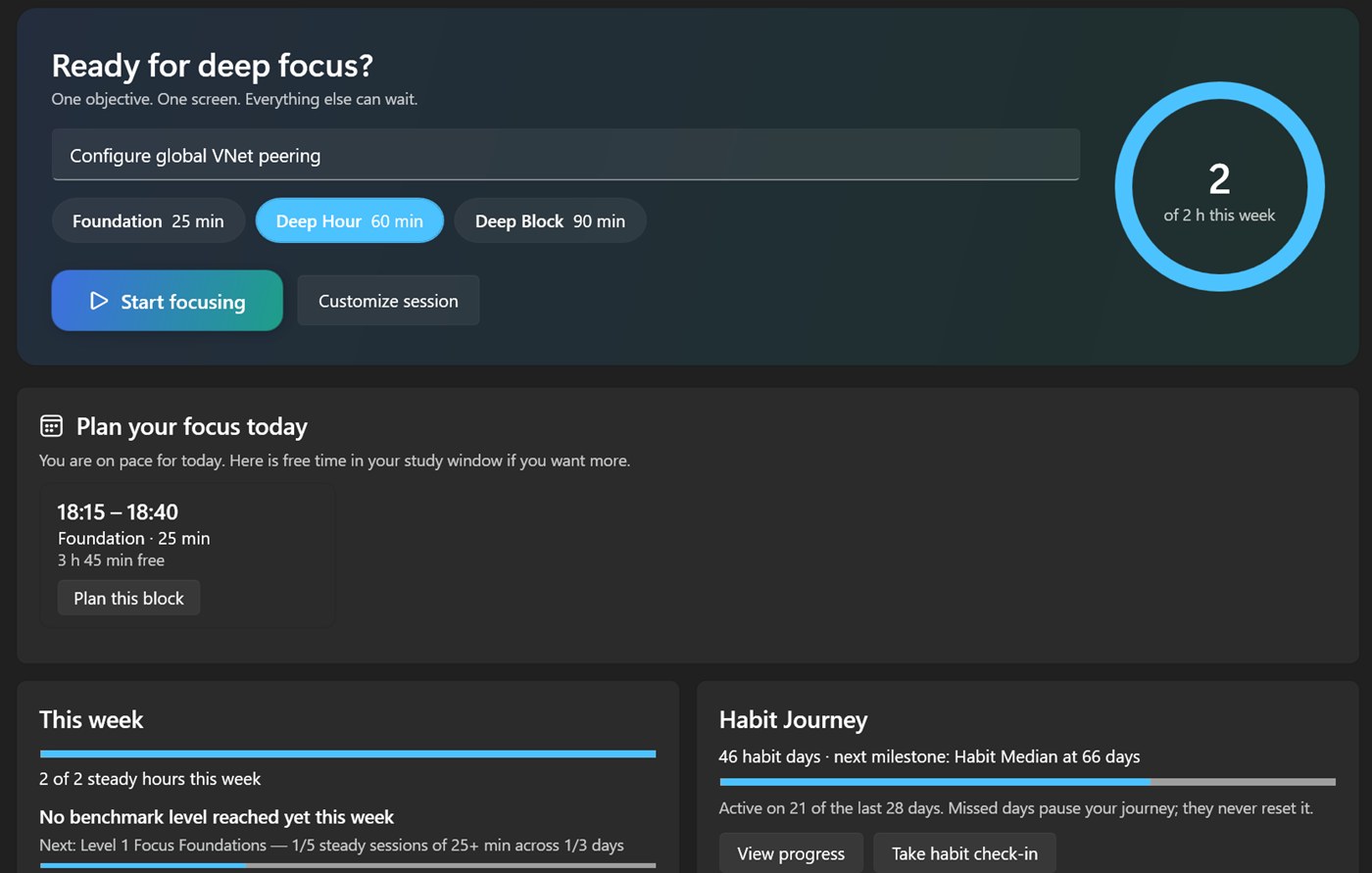
Missed days pause, never reset.
The Habit Journey counts the days you chose focus, celebrates milestones, and shows twelve weeks of steady focus. A bad week never wipes out your progress.
- Habit milestones grounded in habit-formation research
- Personal bests and long-term trends
- Learning Journal with recall points
Everything a deep session needs
Calendar-aware
Read-only Outlook or Google Calendar. See conflicts before you start and get meeting reminders with one-click Join.
Later List and Refocus
Park distracting thoughts with Ctrl+Alt+L, and use a 30-second breathing reset when attention wanders.
Focus music
Start a lyric-free playlist on Spotify, Amazon Music, Apple Music, or YouTube Music from the timer bar.
Private by design
No account, telemetry, or ads. Sessions and progress stay in a local database on your PC.
Made for Windows
Windows 10 and 11, x64 and ARM64. Installs in under a minute, with no admin rights.
Easy on the eyes
System, Dark, or Matte paper color profiles for long sessions.
Top ideas
Vote for what you want next, or suggest something new.
-
0votes
Remind me of planned focus blocks even when FocusLock is closed
Today, reminders for planned focus blocks appear only while FocusLock is running. A Windows notification at the planned time, even when the app is closed, would make the planner dependable.
PlannedImportant
prasroy5 Oct 2026
-
0votes
See how my study time splits across learning platforms
Show, per week, how much focused time went to each learning platform and site (for example Microsoft Learn, AWS Skill Builder, Coursera), recorded only as domains and only on this PC.
PlannedImportant
-
0votes
Offline ambient sounds (brown noise, rain, cafe)
Built-in ambient sounds that play offline, with no music account, started from the timer bar.
Under reviewNice to have
What learners say
Real feedback, shown with the author's consent.
- 💬
Be the first to share
Tried FocusLock? Tell us what works for you and what could be better.
Ready for your first deep session?
Free during early access. Installs in under a minute, with no admin rights needed.